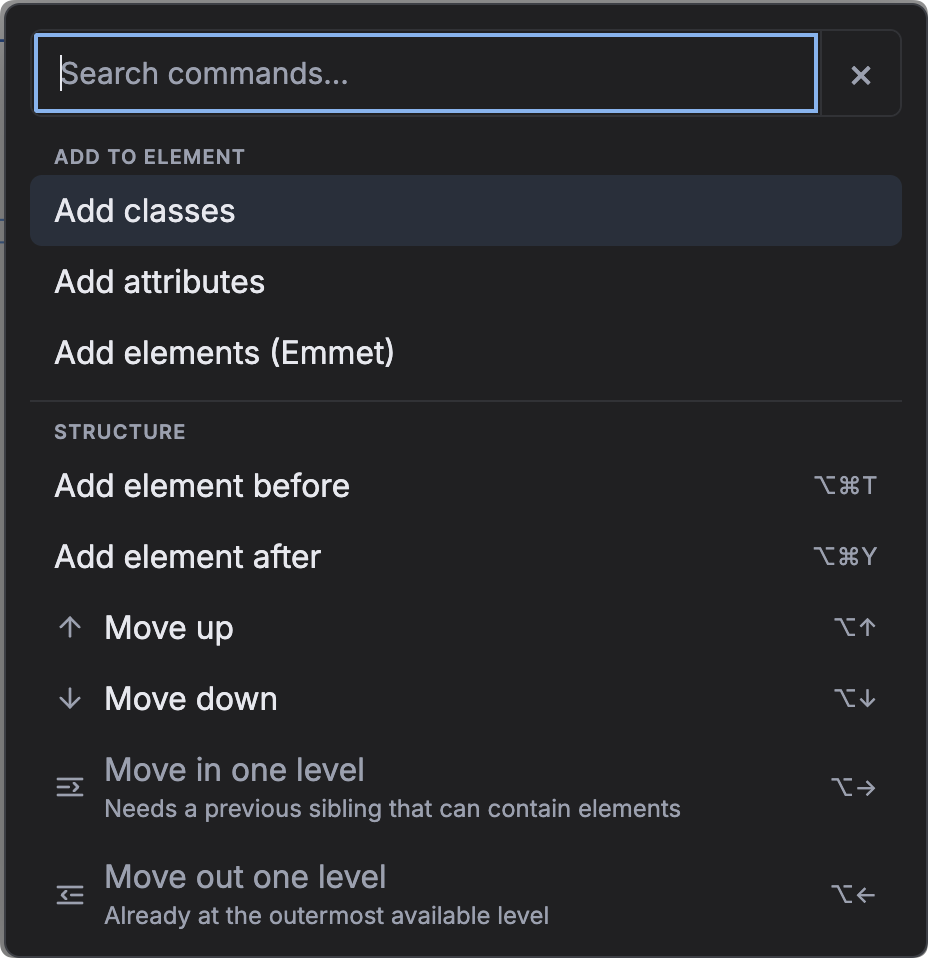
The command palette gives you one searchable place for Builderius and DBE actions. Press Cmd/Ctrl+K — or use its top-bar button — even when focus is inside the preview canvas.
What you can do
- Run element and structure actions without finding the matching menu.
- Add classes and HTML attributes to the selected element.
- Show or hide either side panel and jump between builder regions.
- Open useful WordPress or Builderius admin screens in a new tab.
Build a small structure with shorthand
DBE 2.0 expands the palette with a small Emmet-like syntax. For example:
section.hero>h1{Title}+p{Lead}The shorthand can add attributes and create Builderius Collections, SubCollections and Templates as well as ordinary elements. DBE strips event-handler attributes and dangerous URLs before it creates the structure.
When a command is unavailable
Unavailable commands stay visible and explain what is missing — for example, that the selected element is already first, that an action needs one selection, or that Builderius Pro is required. Invalid shorthand and empty searches receive guidance in the palette instead of failing silently.