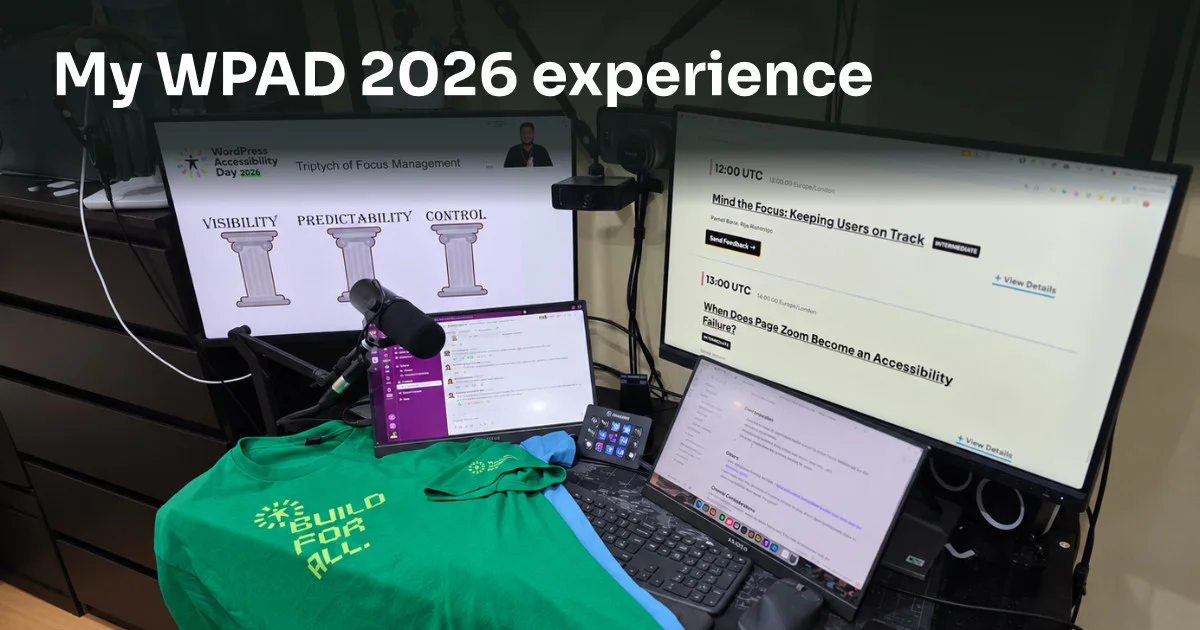
WordPress Accessibility Day 2026 was an amazing event, and I’m glad I was part of it as an organiser, tech admin volunteer and attendee. I learnt a lot, both behind the scenes and from the talks.
Thank you to the organisers, volunteers, sponsors, donors and attendees. The event went as smoothly as it did because of your dedication and support.
Being part of the event
My involvement with WordPress Accessibility Day (WPAD) has grown over time. I started as someone new to accessibility, then became an attendee, a volunteer and finally an organiser for the second year running.
I wrote more about that progression in My WP Accessibility Day journey: Looking ahead to 2026.
In the closing remarks, lead organiser Joe Dolson shared that we had 2,210 registered attendees from 77 countries. That was an impressive number, and I hope even more people join us next year.
The speakers included both experienced presenters and first-timers. The talks covered AI, neurodiversity, the business case, technical tips, and the experiences of people with disabilities, including ALS, blindness, epilepsy, dyslexia and deafblindness.
While juggling my tech admin duties, I managed to watch most of the talks. Okay, I did get about 4 hours of sleep in between. I’m looking forward to catching up on the recordings of the sessions I missed.
Technology can support independence
In his keynote, Ed Summers spoke about a renaissance of achievement for people with disabilities. His talk left me grateful for the tools and technologies that help people live more independently.
White canes, screen readers, braille displays, voice control and cochlear implants are some examples. Ed also explored how AI can help people without a technical background build tools and websites, making things possible that previously felt out of reach.
Another point that stayed with me was that solving a problem for one person can benefit others too. Captions, for example, help people who are deaf or hard of hearing. They can also help someone watching a video in a noisy environment or finding it difficult to concentrate.
Learn from people with disabilities
Karimot Isiaka’s talk on accessibility research and Lucy Collins’s talk on accessibility personas made me think about how we understand people’s needs.
Personas can help us consider experiences beyond our own and notice problems we might otherwise miss. But imagining someone else’s experience is not the same as involving people with disabilities in research and testing. So wherever possible, reach out to people with lived experience of disability for user testing.
Use AI and automated checks carefully
AI and automated tools can be useful, but we should not rely on them for everything. Kevin Andrews’s talk reminded me that a tool can give a confident answer while still missing important accessibility issues.
A green checkmark does not mean that a website is fully accessible. Some aspects still need manual testing and human judgement.
Take image alternative text, or alt text, as an example. An automated check may tell you whether an image has an alt attribute, but that alone does not tell you whether the text is useful or whether the image is decorative.
William Patton’s talk about Playwright and GitHub Actions showed how automated checks can fit into a development workflow. For me, the important distinction is that these checks support accessibility testing rather than replace it.
AI may describe what is visible in an image, but that description may not explain why the image appears on a particular page. Good alt text needs to reflect the image’s purpose and context, not just its appearance.
Julia Undeutsch’s talk reinforced this point: automated tools are a starting point. They cannot yet replace the skills and judgement needed to build an accessible website.
Kevin Andrews also warned that relying too heavily on AI can give us a false sense of confidence in code we don’t fully understand. That stayed with me: if we stop practising coding and problem-solving ourselves, those skills can become harder to maintain.
I’ll also be exploring how embedded alt text works. In Caroline Desrosiers’s talk, she explained how WordPress 7.0 can import alt text from an image’s metadata into the media library. It still needs checking against the image’s purpose and context.
Give accessibility a clear owner
Sanna Kramsi asked a question I really enjoyed thinking about: “Who owns accessibility after a WordPress site launches?”
One of the biggest pitfalls is a lack of accountability. If you leave a task to everybody, you might effectively leave it to nobody. Everyone maintaining a website should know who is responsible for what.
Adam Unger and Julian De Los Prados’s session also made me think about the value of a clear internal accessibility policy and an accessibility statement for visitors.
AmyJune Hineline’s talk about accessible style guides was another useful reminder to build accessibility into a project from the start. A guide gives the team something practical to follow, instead of trying to bolt accessibility on at the end.
Make the case for accessibility
Change begins with you. A team may not budget for accessibility until someone takes the step of making the case for it.
Priscilla Afia Opoku’s talk addressed that challenge. John Mark Wallach also explored how accessibility can benefit an organisation, expand its reach and support a return on investment.
These talks reminded me that making a website work for more people is valuable in its own right, and can also support an organisation’s goals.
Test keyboard focus and zoom
Pranali Bane and Raj Rajeshirke from BarrierBreak shared three useful ideas for keyboard focus: visibility, predictability and control.
Their talk reminded me of the 2023 WPAD T-shirt, which reads “:focus. It’s a feature not a bug”. Those three ideas are useful beyond keyboard navigation too, and made me think about the broader Web Content Accessibility Guidelines (WCAG) principles: perceivable, operable, understandable and robust.
Steve Jones also made me aware of the difference between full-page zoom and text-only zoom in browsers. We should test both when auditing a website.
Deal with pushback
Finally, Gen Herres’s talk covered the real-world pushback we can face when trying to improve accessibility, and how to respond to it.
Knowing what needs fixing is only part of the work. We also need to be able to explain the problem and address the objections that come up.
What did you take away?
I came away from WPAD 2026 with plenty to think about. My next steps are to test both types of zoom, explore embedded alt text and catch up on the sessions I missed. You can explore the sessions in the WordPress Accessibility Day 2026 archive.
Over the rest of October, I’ll be joining the Event Media volunteers to help add the published talk videos to the WPAD website archive and on the WPAD YouTube Channel. It’ll be another way to contribute after the event and help people catch up on the sessions.
What was your favourite session? Will you be attending next year? You could also consider helping organise a future event and shaping how it happens.
Have a great day and year ahead!
Comments
No comments yet — be the first.
Leave a comment
Replying to .
Thanks — your comment is in
It's awaiting moderation and will appear after it's approved and the site is rebuilt.