Welcome to the first edition of Weeknotes — a weekly, slightly opinionated dump of what I’ve explored, broken, and overheard in the WordPress world. No grand thesis, just the stuff that actually caught my attention this week. Let’s get into it.
I finally spent real time with Etch
And… I get the hype. Thanks to Daniel Domaradzki for setting up the demo site. The Etch interface is clean, and the responsiveness is on another level! The clicks feel genuinely instant in a way I’m just not used to coming from Builderius.
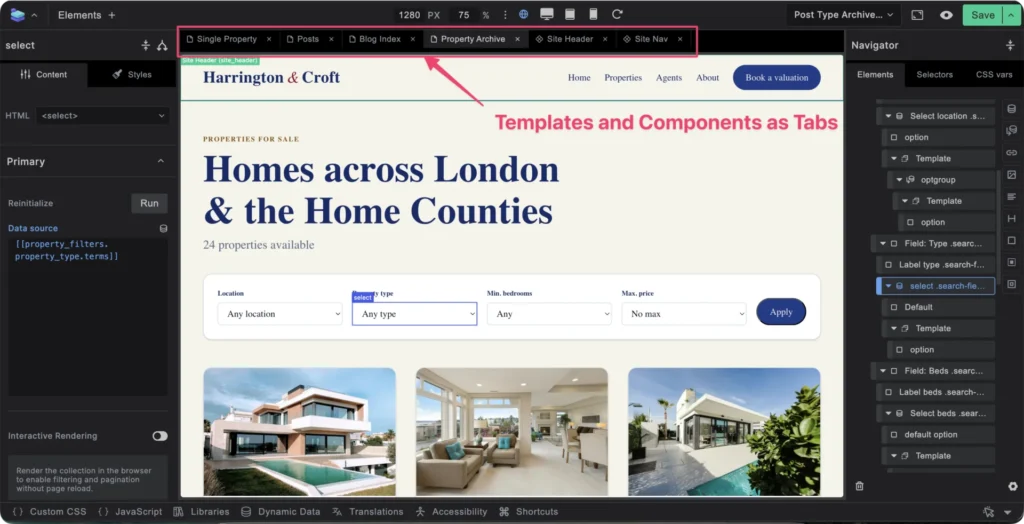
That snappiness shows up everywhere. Both builders share the same nice idea: open any template or component and start working without leaving the builder. However, Etch opens things near-instantly, whereas Builderius leaves me waiting slightly. Credit to Builderius, though: it lets you open templates and components as tabs, so you can quickly switch back and forth.
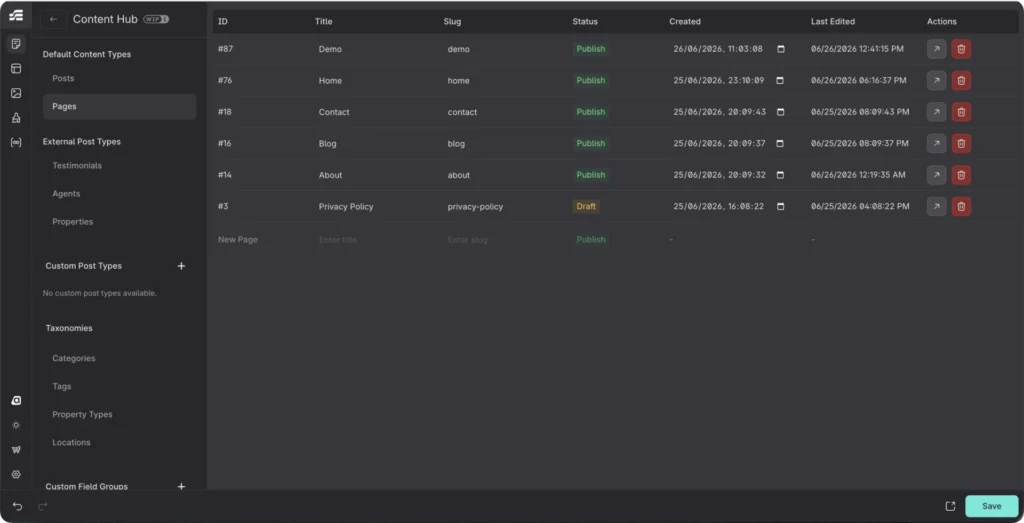
In Builderius, though, you still have to drop back into the WordPress editor to create your templates and pages, whereas Etch has a Content Hub for spinning those up without ever leaving the builder.
A few things stood out to me in particular:
A clean, readable interface
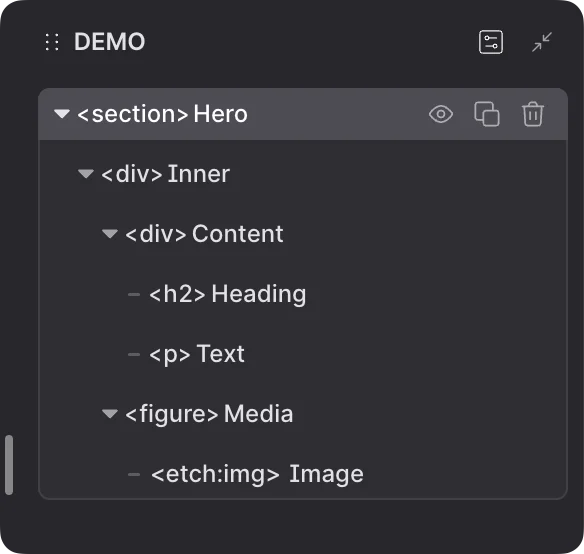
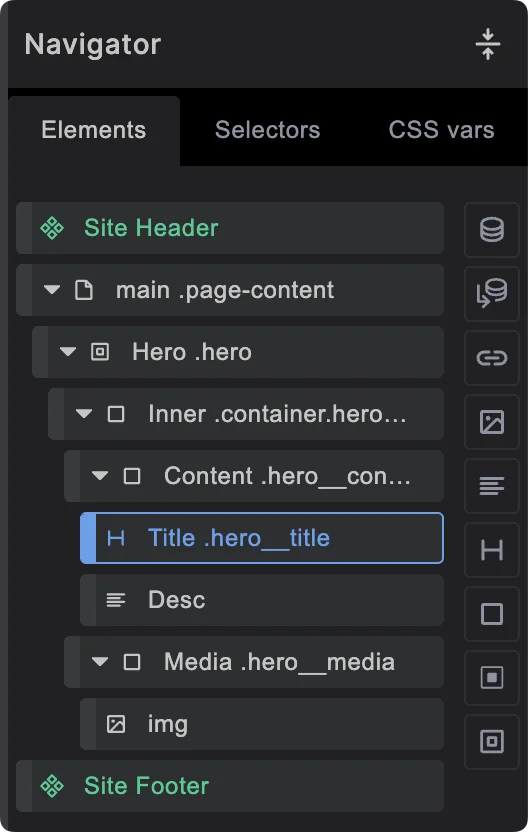
Everything is easy to visualise. Despite the heavy use of icon-only controls, sensible grouping and a healthy icon size mean your eyes always know where to go. I especially love the navigator: each element shows its HTML tag and a user-defined label, and you can edit both right there in the panel.
Builderius, by contrast
Builderius shows the label and the class name at a slightly smaller font size, so its navigator gets harder to read quickly.
A genuinely useful context menu
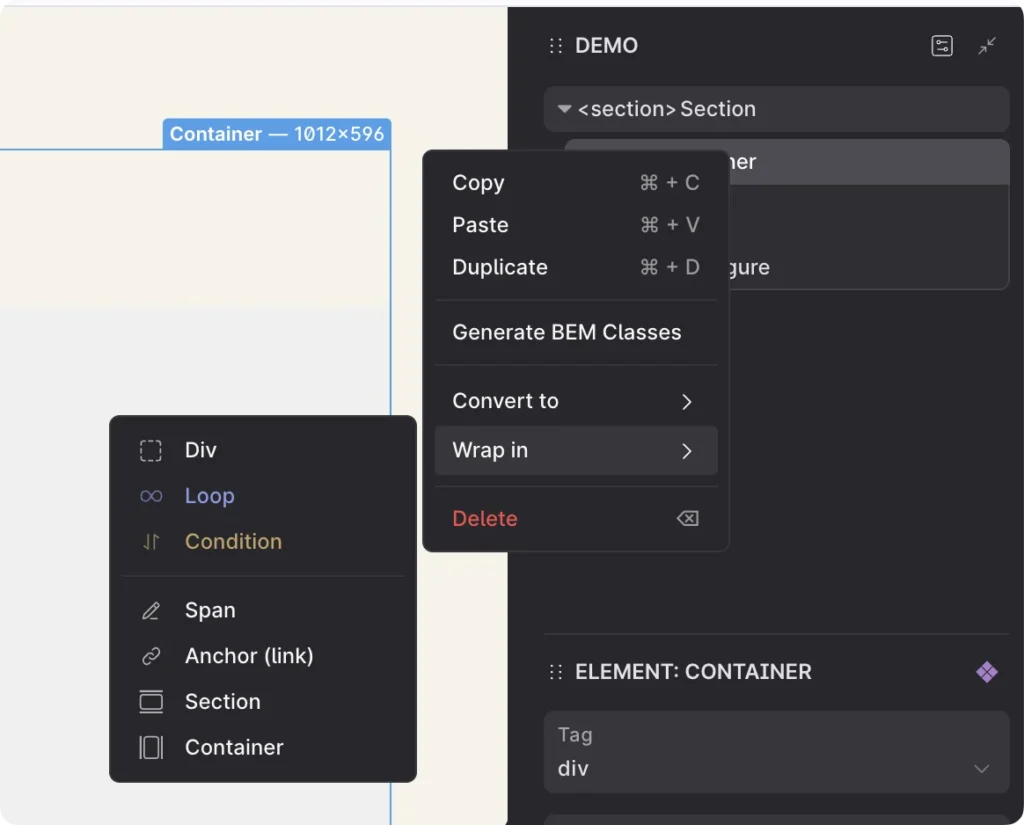
Etch’s element context menu is a real workflow accelerator. You can generate BEM classes on the fly, or wrap an element in a loop, link, div or section in a couple of clicks. Builderius has a pretty important context menu as well, but I would like to see more added..
A fast command palette
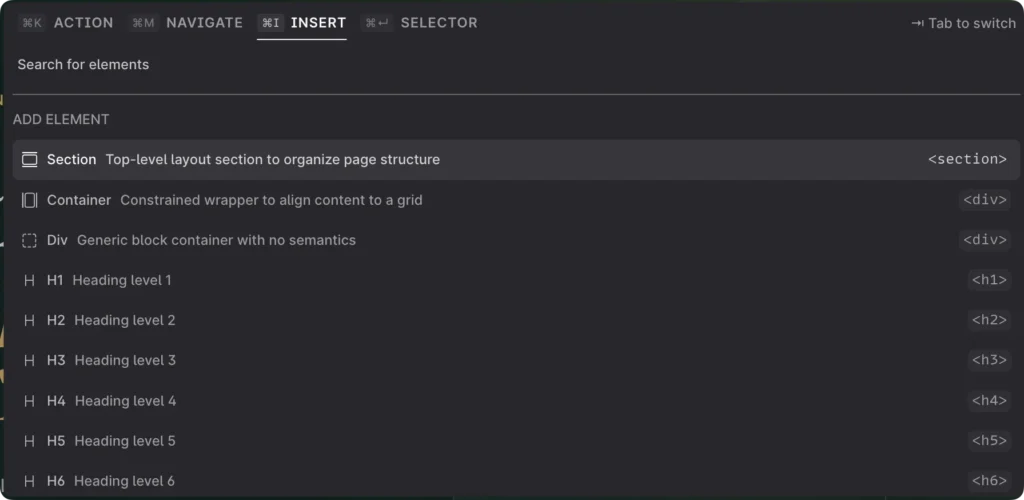
You can insert any element straight from the command palette, saving a handful of clicks. It reminds me of the Bricksforge Terminal when I switch to using Bricks.
It’s early days, and I’m not pledging allegiance to any builder, but you can clearly see just how much UX thought and effort went into Etch.
The Builderius CSS UI debate
Speaking of Builderius, there’s been a lot of chatter this week about its CSS UI simply not being fit for purpose. Lex ran a livestream working with Sense AI and found that more than half of the CSS properties ended up in the advanced styles section rather than the regular UI. The reason: like many page builders, the UI expects longhand CSS — padding-left, padding-right, padding-top, padding-bottom — instead of a single shorthand padding. Sense AI, meanwhile, has been rightfully trained to write logical properties like margin-block-start, while the UI expects physical ones like margin-top.
There’s also a lot of confusion about where the CSS actually lives. Most page-builder users expect to find it in the default Global tab, but Sense AI treats global CSS as a framework layer and writes most styles at the template or component level. Contrary to popular opinion, I actually like that way of working. Global styles for framework classes and styles, Component styles for blocks of content that I may reuse in different pages and template styles for each template’s design. That way, we don’t end up with loads of unused CSS. I just wish it took far fewer clicks to find a style, and that it were easier to see where each one is defined.
I still rate Builderius’ ambition to bridge the gap between code and visual development very highly. I just think the team needs a few more UX designers to push the boundaries and smooth out the workflow. If you want to see what they’re building, take a look at Builderius.
WP Accessibility Day 2026 is creeping up — and needs sponsors
A reminder as much for me as anyone: WP Accessibility Day 2026 is drawing closer. It’s one of the few events that consistently changes how I build, not just what I know, so I’m blocking out time for it. If accessibility tends to slide down your priority list, this is a great forcing function to pull it back up.
WP Accessibility Day is a free, 24-hour virtual event covering a huge range of topics across accessibility and WordPress. This year, I expect a stronger focus on bridging modern web design, AI and accessibility. To keep the event running smoothly, though, WPAD needs sponsors and donors. You don’t have to give much — even a $10 donation goes a long way towards keeping the lights on.
WPLDN got cancelled by the heat
The WPLDN meetup was called off this week thanks to the red-alert heatwave warning across London. That’s genuinely the right call. You’d hardly learn much in that kind of heat, and a room full of people, a projector and other equipment only makes it worse. A shame to miss the in-person catch-up. I was also looking forward to finally meeting Imran from Web Squadron, but I’d rather everyone stayed safe, and we ran it properly next time.
The Elementor UK meetup has a new name — and a new energy
The Elementor UK Meetup has rebranded to The Web Creators Toolbox. I like the move, and WPLDN have also been mulling over doing something similar. It signals the group is about the craft of building for the web rather than loyalty to any single tool, which feels very much in step with where things are heading.
It’s also a smart move, given that probably half the community has drifted somewhat away from Elementor; some towards custom development powered by AI, block-based solutions, Bricks, Builderius, and the like.
Fittingly, Phil gave a brilliant session on the AI work he’s been doing. The headline: he no longer leans on Elementor at all. His workflow is now conversing with AI models directly through OpenRouter, paired with the native WordPress block editor. Watching someone drop a page builder entirely and still ship — just by talking to a model (or a couple of models) and dropping the output into Gutenberg — was the most thought-provoking thing I saw all week. It’s a glimpse of where a lot of us might be in a year.
Novamira just shipped version 1.5 Pro
The Novamira team are hard at work bridging the gap between your AI agents and your WordPress plugins. This week, they introduced skills and abilities for a range of form plugins, including Gravity Forms, and I’m hoping Bricksforge Pro Forms is the next stop. You can grab your copy of Novamira Pro today using my affiliate link.
That’s a wrap
Etch UI impresses me, Builderius UI is frustrating me a little bit, WP Accessibility Day conference on the horizon, the heat reshuffling plans, and AI quietly eating the page builder. That’s certainly not a bad week. If any of this sparked a thought, I’d love to hear it. See you in the next one.
Comments
No comments yet — be the first.
Leave a comment
Replying to .
Thanks — your comment is in
It's awaiting moderation and will appear after it's approved and the site is rebuilt.