For years, building a serious WordPress site meant assembling a toolbox: a page builder for layout, a separate plugin for dynamic data, another for staging, one more for migrations, a static-site generator when you wanted speed, and lately an AI tool bolted on top. Over the past couple of years, Builderius has quietly folded almost all of that into a single environment.
Builderius isn’t a stable release yet, but as it stands today, it already covers the entire development workflow, from the first element you drop on the page to the static site you deploy. Here’s how the pieces fit together.
One editor for every template and component
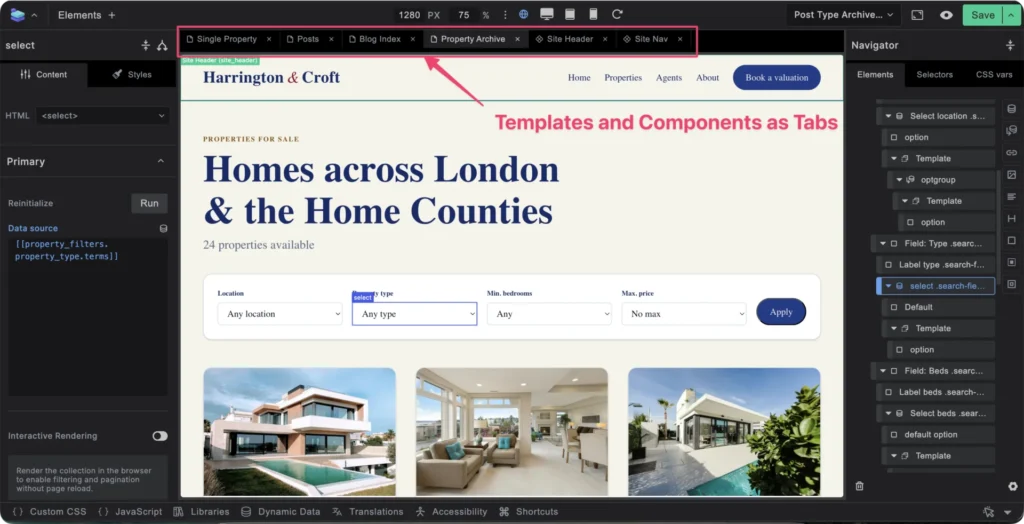
It starts with the editor. Builderius lets you work on all your templates and components in one place, without juggling a dozen browser tabs. You open each template you’re working on as an internal tab inside the editor and switch between them instantly. It sounds like a small thing, but it changes how building feels: everything you’re touching for a project lives in one window.
Build with real HTML, not just the builder’s boxes
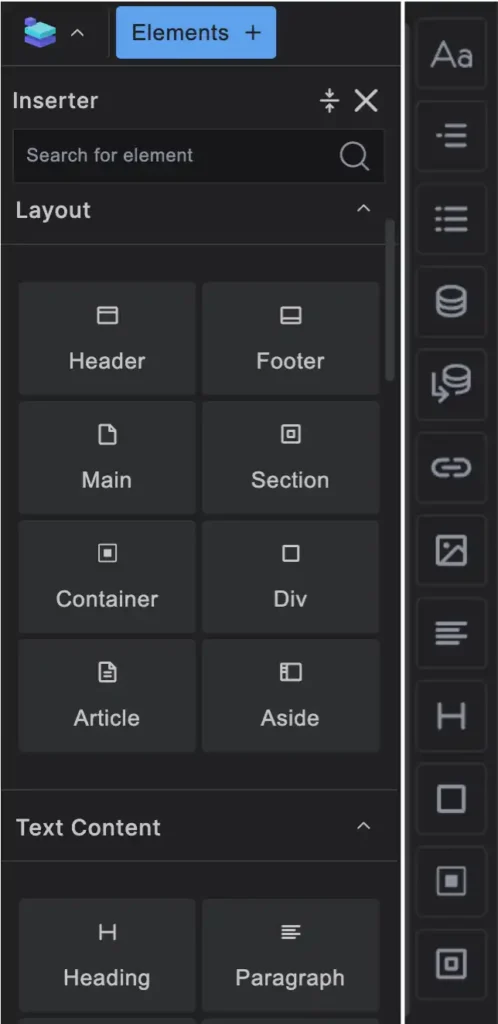
Open the editor, and you’re greeted with an element inserter that covers the basic building blocks most websites need. With the Pro version, that list stops being a limit: you can reach for any HTML element you like, right down to your own custom elements. You’re never boxed into the handful of components the builder ships with. If the markup is valid, you can build with it. Tabs, accordions, carousels, dialog boxes, custom forms and many more are all ready to be created.
Any attribute, including those that accessibility depends on
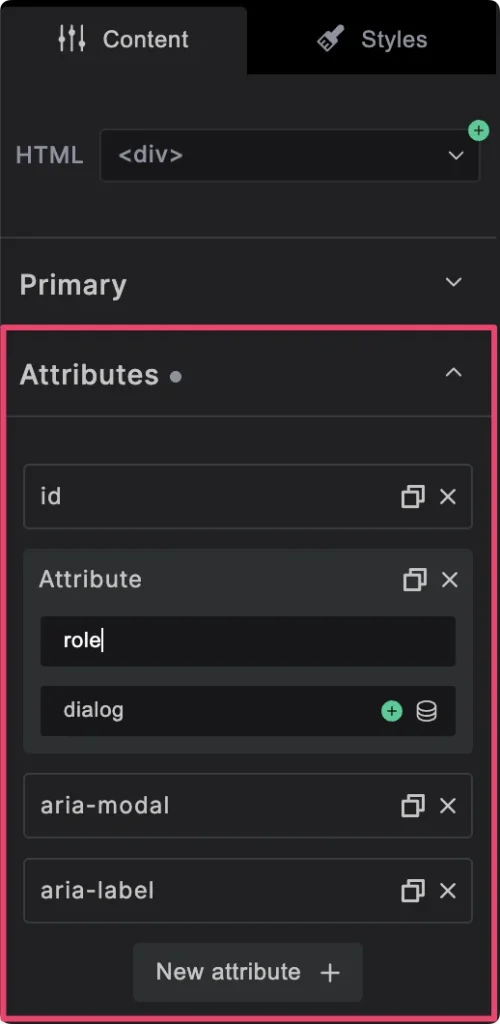
Choosing your own HTML tag is only half of it. Builderius also lets you add any HTML attribute to an element, dynamically. Need to set the right ARIA attributes so an element exposes a proper Name, Role and Value to assistive technology? You can. Want to add performance-related attributes to your images, or anything else a modern, accessible page calls for? That’s all on the table. It’s exactly the kind of control developers expect, and the kind most visual builders quietly take away.
Two-way CSS sync, and style any selector you like
Styling works as a genuine two-way sync between the visual controls and raw code. If you’re a visual designer who doesn’t write CSS, the visual editor has you covered — and, just as with HTML tags, it isn’t capped at a fixed menu. Through the Advanced section of the styles tab you can apply any CSS property you like, including ones the builder doesn’t expose as a dedicated control.
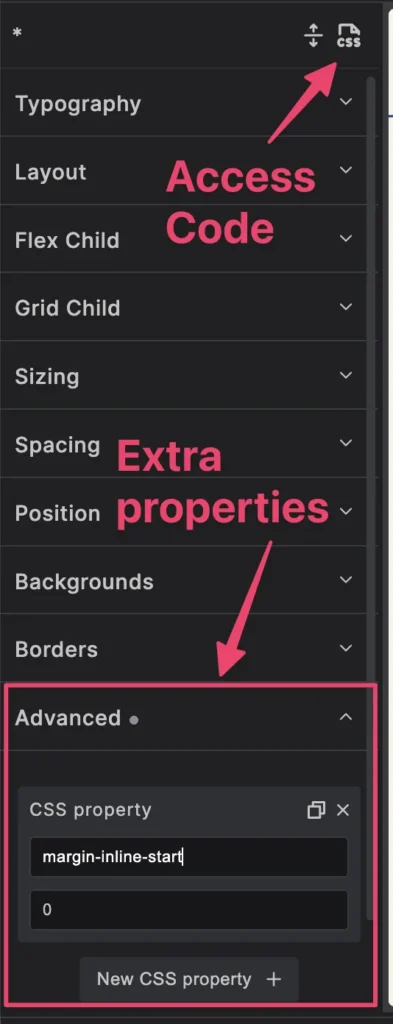
Prefer to write your styles by hand? You’re not left out either. Switch to the code tab and add your CSS directly, and review everything applied across the site in one place. Styles cascade through four scopes — global, then component, then template, then local — with each level overriding the one before, so a local override always wins. My only real gripe is that the code tab could be quicker to reach.
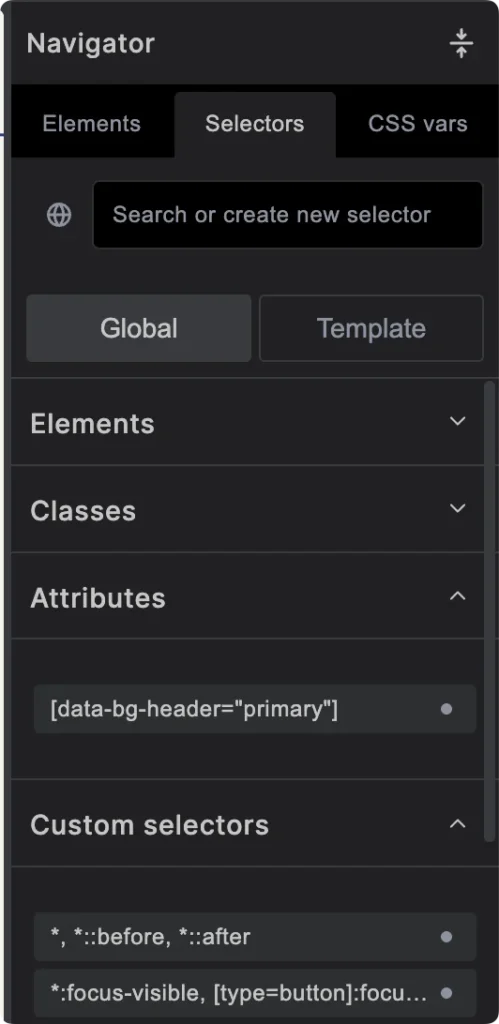
You can also style any selector you can think of, whether it is a simple class or ID, a pseudo-element such as ::before or ::after, right through to more complex ones. A dedicated Selectors tab in the navigator panel lets you build those more involved selectors, and you can style everything visually or in code, whichever suits.
World-class dynamic data and templating
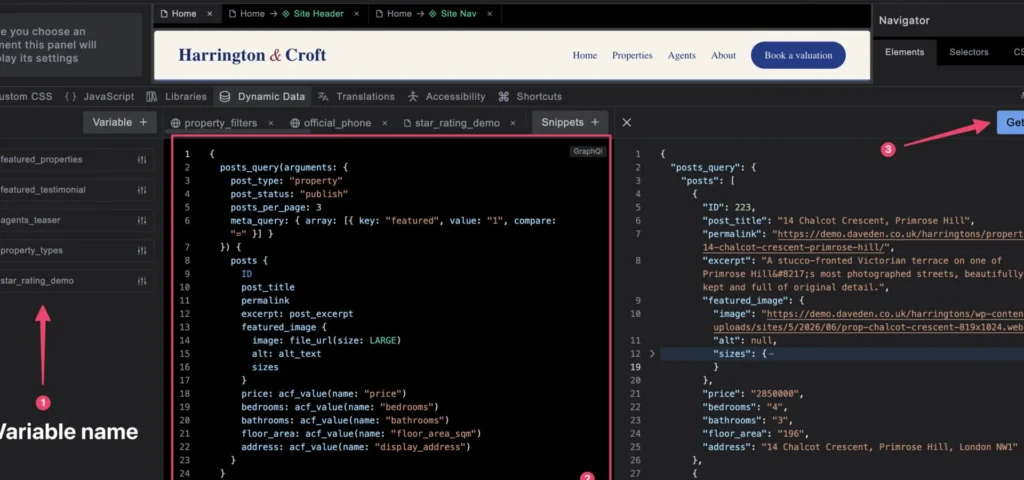
Builderius’s dynamic data and templating system is genuinely world-class. It pairs GraphQL with an expression language, which means you can pull data dynamically from virtually any source and shape it however you need. It also provides a function called php_function_output to retrieve other types of data not covered by the base GraphQL. The free version keeps you within the current context, while Pro opens the door to pulling data from anywhere.
The real standout for me, though, is the collection element. With it you can build practically any dynamic component you need — dynamic tabs, accordions, even select fields — because it accepts any input source that returns a JSON array. Where most page builders’ looping mechanisms only let you loop through posts and terms, the collection element loops through posts, terms, external APIs, static JSON, ACF repeaters and plenty more.
It’s really a family of four elements that together give you everything you need for dynamic repeating — including nested data, recursive data, and interlacing static content with dynamic content:
- The collection element sets up the data source for the loop, along with its other parameters, and provides the wrapper element, which accepts any HTML tag (a
<select>, for instance). - The template element acts as the virtual wrapper for the repeating content (an
<option>, say). You can also use it on its own to apply dynamic conditions to a group of elements outside a collection. - The subcollection element is used for nested data.
- The recursive template element is used for recursive data.
In my upcoming course, Build a Real Estate Agency Site with Builderius, I go deeper on this, showing how you can use Builderius’s dynamic data to build something as involved as your own custom filter system, entirely inside the builder.
A git-style workflow, no staging site required
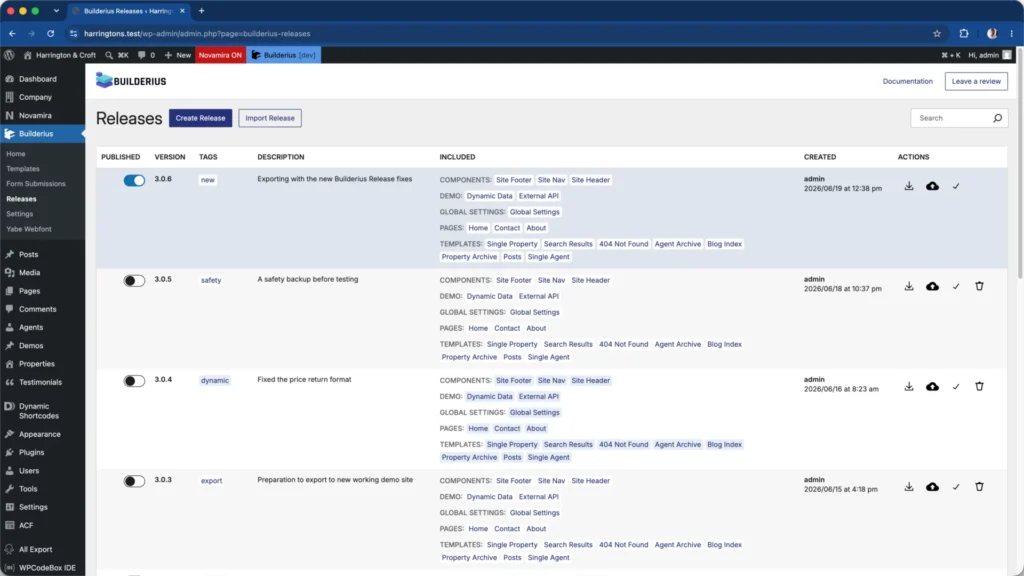
This is where Builderius starts to feel like a developer’s toolkit rather than a page builder. It gives you a git-style workflow: you build every template you need in a dev environment, then create a release (think of it as a restore point), and when you’re happy, publish to live. The payoff is that you can build, rebuild and experiment with several designs at once without standing up a separate staging site. Your visitors keep seeing the latest stable release while you work on whatever comes next.
Prefer a staging environment? Covered too
If you’d still rather work in a staging environment, Builderius has you covered there as well. From the releases page, you can already do three things, with more promised down the line. You can:
- publish to live on the same website, cutting out staging plugins;
- migrate the site from local to production, cutting out migration plugins;
- deploy your site as a static site, cutting out separate static-site generators.
Sense AI: build with AI and watch it work
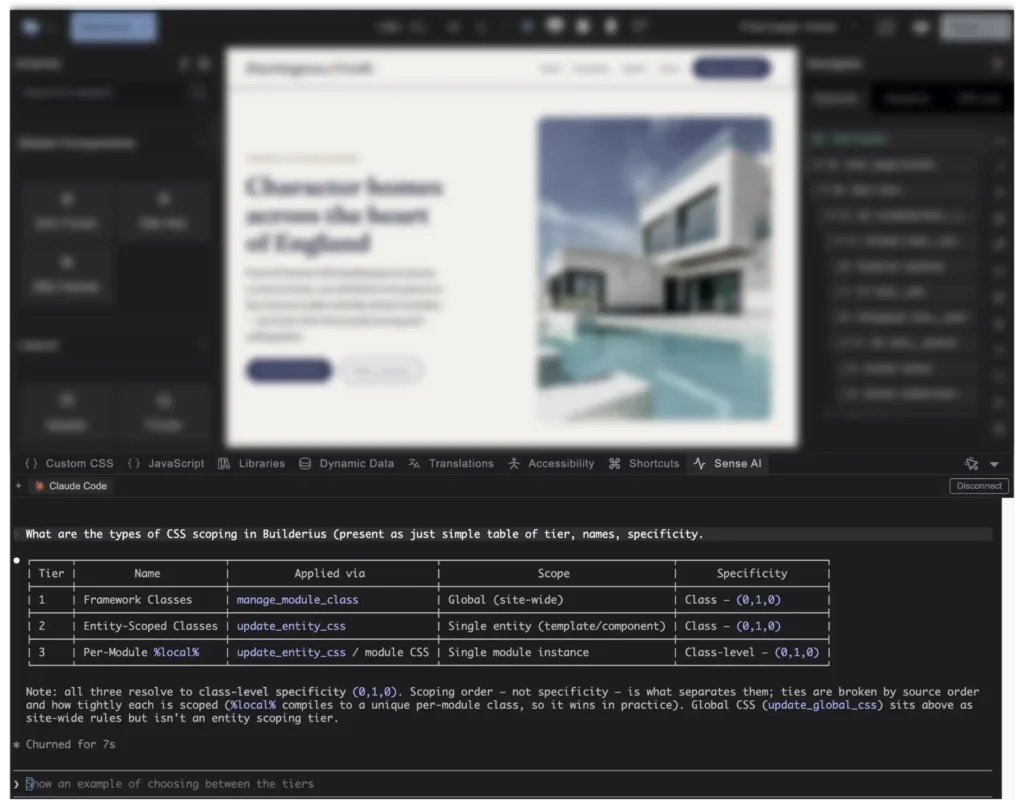
To round out the workflow, Builderius added Sense AI, its suite of AI tools for building sites with assistance. What sets it apart is the integrated terminal and live preview: you watch the work take shape as the AI builds out your template or component, rather than waiting for a black-box result. It also ships with skills and abilities aimed at keeping what you build accessible.
What’s still cooking
Builderius isn’t calling itself stable just yet. The team is putting the final touches in place to make the product as solid as possible, and the main feature still outstanding is history and revisions. If you like working from ready-made designs, there’s also a growing library of patterns to start from.
Other features I’d love to see are an improved contextual menu to quickly wrap an element in a template, collection, div or other important wrapper elements; improved UI to quickly and easily access CSS; improved templating conditions; grouping of component props, among others.
One last thing worth saying: Builderius is built by a small team, and they’re genuinely friendly, approachable, talented and hardworking. They’ve shipped more with a handful of people than I’ve seen from teams many times their size.
The verdict
Add it all up: one editor, real HTML, dynamic attributes, world-class dynamic data, a git-style release workflow, static deployment and AI assistance. Together, they let Builderius genuinely complete the WordPress development workflow. For now, anyway: with a stable release and revision history still to come, the best version of it is still ahead.
If you’ve been waiting for a builder that thinks like a developer, this is a great moment to jump in. You can explore Builderius and its Pro plans and see how far the free version takes you first.
What would you like to see included in the Builderius stable release? Let me know.
Comments
No comments yet — be the first.
Leave a comment
Replying to .
Thanks — your comment is in
It's awaiting moderation and will appear after it's approved and the site is rebuilt.